Booking possibility

・If the price of the booked lesson increases, students will have to pay more and may be less likely to get a booking.
・If the lesson price booked is lower, students will pay less and you will be more likely to get a booking.

Are you there?

The system has detected that you are not in front of it.
PC/Laptop.
To avoid any issues with students, your status has been changed from "Standby" to "Not Standby".
If you want to return to "Standby" again, click "I'm Here."
Bottom button 60 seconds.
If you do not press
If you press the button, the status remains "No Standby"
Even after this message disappears.
Would you like to start classes again?
Please message your students as soon as possible so that other teachers can take your next lesson without any issues.
You are in one of the following situations:
Please check the schedule before you leave.
・I have a reservation within the hour.
・I forgot to close the slot within an hour.
Do you really want to dismiss it?
The message was discarded.
You can check it from the removed filter.

The current lessons are less than 5 minutes long, so there is no lesson preparation time.
The system will immediately redirect to "Standby" mode.
WT has forcibly logged you out of your account for the following reasons:
1. You have logged into the wrong cubicle. Please check your cubicle number.
2. Exited break or other status after shift ended (failed to log out).
If you have any questions, please contact us on Skype at TECH FORUM.
Are you sure you want to cancel the lesson?
If you cancel, a penalty will be applied
according to our Policy
Once cancelled, you will not be able to reopen the same slot.
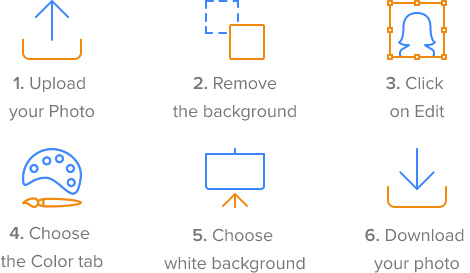
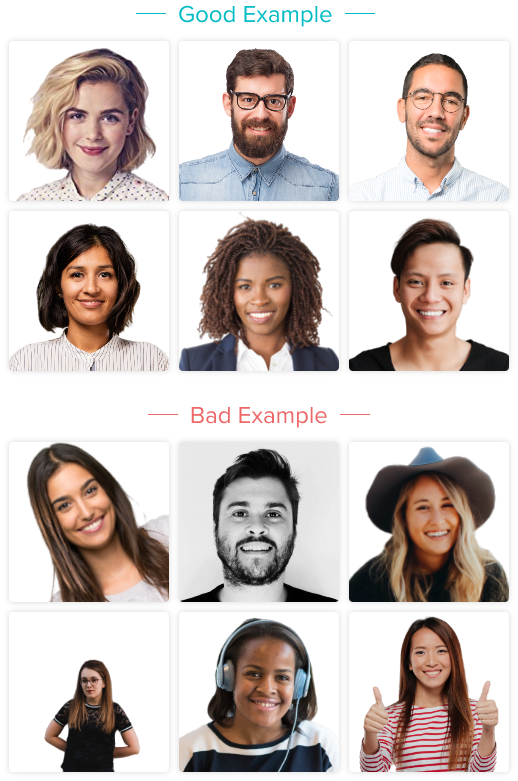
Please upload your photo along with the references below.
To help you have a good profile picture and attract more students with a professional profile, we provide a manual for our photo improvement program.
Here's a short guide on how to improve your photos:
*If you submit an inappropriate photo for your profile, it will not be approved and you will need to upload a new one. Check out the sample profile photos below::








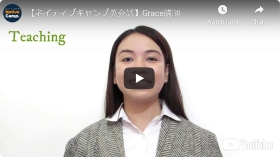
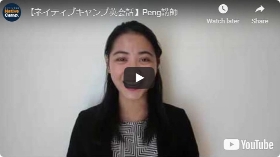
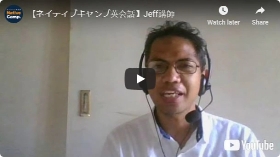
Open or upload a video recorder
Pre-recorded video with reference materials below.
Here's a short guide on how to improve your videos:
Don't mention the following::
It should be mentioned:
You have been automatically logged out of the instructor screen because you have not changed your status for 60 minutes. Please log in again.
The current time on your computer is , However, the time zone setting is currently .
Do you want to change the settings?
Dec 6 - Dec 20
(0 NCC)
There is no self-introduction video registered.
Register your introduction video now.
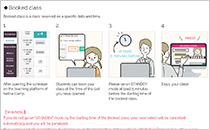
◆What is "booking class"?
Booked class is a class reserved on a specific date and time.
1.
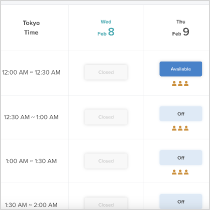
After opening the schedule on NativeCamp's educational platform.
2.
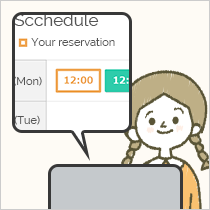
Students can book your class in any time slot you have available.
3.
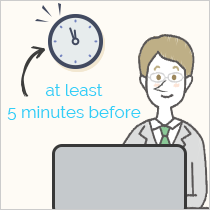
Please be on STANDBY mode at least 5 minutes before the starting time of the booked class.
4.
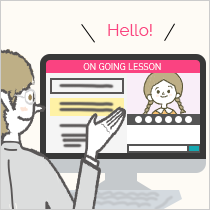
Enjoy your lessons!
【Warning】
If you do not go on “STANDBY” mode by the starting time of the booked class, your reservation will be cancelled automatically and you will be penalized.
If there are a large number of cancellations, we will terminate your contract with Native Camp in accordance with our company regulations.
Be careful with managing your schedule.
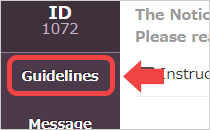
Open Guidelines
Go to the "Payment" section
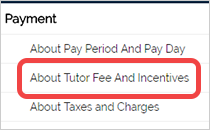
Go to the "Instructor Fees and Incentives" page
A quick reference of the class you have booked is at the bottom of the page.
Student lesson requests

Ken
Number of lessons with you : 219
Last time : 2023-3-21
If you complete 100 or more slots of lessons within two weeks of your account being activated, you will receive 2200 NCC as an incentive.
Number of lessons completed: 12 / 100
The lesson was automatically canceled because the student did not enter the classroom more than 5 minutes after the scheduled start time.
20 NCC
Notice!

Your message contains prohibited content.
Please make any necessary changes before sending.
How was the service from our staff?
Thank you for your time.
From your feedback, we constantly strive to go an extra step in order to provide you with the best possible service. We would appreciate your continued cooperation. We appreciate your continued cooperation.
Are you sure you want to delete this message?
This cannot be undone.
The teacher wrote it.
Reason for blocking:
Please enter the reason 100 to 1000 letters
{{ warningMessage }}
0/1000
Your block request has been sent to administrative staff.
Please wait for a while until approval is given by the administrative staff.
You cannot block a student who has already booked a lesson.
You can only block a student after the scheduled lesson has finished.
You cannot block a student who has already booked a lesson.
You can only block a student after canceling the requested lesson.
The student has been unblocked.
This will allow students to find you on the website.
Test Content
Once you click the Start Test button, you cannot pause the EPT.
I can't go back to the previous page either.
When you're ready, click the "Start Test" button below.
I have not yet taken the new English Proficiency Test (EPT).
Promotion is determined by the score you achieve.
Take the EPT now!
You have reached the limit for blocking students.
Block only 15 The total number of students is 1,000. Thank you for your understanding.
Unable to Update Work Status 5 A few minutes before the lesson time.
You have reached a limit for opening slots
Only 24 slots available and 2 Meal Break slots You can open it.
We appreciate your hard work, but please open slots on another day.
You have reached a limit for opening slots
It goes beyond a meal break. Time slots for meal breaks.
You have reached a limit for opening slots
It goes beyond a meal break. Live lesson slots available.
You have reached a limit for opening slots
It goes beyond a meal break. Time slots for meal breaks.
You have reached a limit for opening slots
It goes beyond a meal break. Live lesson slots available.
A student has reserved this slot. Please refresh this page to see the latest schedule.
This reservation has already been canceled. Please refresh this screen to update your current schedule.
An error occurred while syncing shifts. Please try syncing shifts again.
Please make sure you have valid shifts on your account.
Processing active shifts. Please wait until processing is complete.
A disconnection cancellation occurred
We are very sorry, but we were unable to confirm the connection from the instructor for more than two minutes, so we had to cancel the lesson due to the student's circumstances.
In this case, the lesson will be considered a "disconnection cancellation" and no incentives will be charged.
However, no penalty will be deducted.
We recommend that you check the status of your connection to avoid such situations in the future.
The time zone you are changing to will result in more than 24 slots per day.
The maximum number of slots per day is limited to 24. Please adjust your current number of slots before changing your time zone.
Supported formats:
Images: JPG, JPEG, PNG, GIF
Video: MP4, MOV
Audio: MP3, M4A
Others: PDF, XLS, XLSX, TXT, DOC, DOTX, DOCX, PPT, PPTX, HEIC
Max file size: 5 MB
Max file number: 10



Complete the individual registration form
Review your information and select your work experience
The following occupations:
Your instructor account has been deactivated.
There are several reasons for this:
- If you receive multiple complaints or negative reviews
- If you haven't set up your profile yet
- If you frequently experience connection issues
- Others
If your teacher account remains disabled, you will not be able to stand by and take lessons.
Please check the message from us and take appropriate action depending on the content.
Booking possibility
・If the price of the booked lesson increases, students will have to pay more and may be less likely to get a booking.
・If the lesson price booked is lower, students will pay less and you will be more likely to get a booking.


Once you click "Save" button below, your schedule will be fixed and sent to the management.
Please note that you will not be able to change the schedule once you click the button.
If you are absent during this cut-off period, the rest day work that you are currently
applying for will be a regular day and will no longer be rest day work
Date has a pending request
Request should be 3 days earlier
Shift is not a Rest day
{{shiftChangeDisabledExplanation.rdot.holiday_disabled}}
{{shiftChangeDisabledExplanation.rdot.custom}}
Date has a pending request
{{shiftChangeDisabledExplanation.shift_change.custom}}
Date has a pending request
{{shiftChangeDisabledExplanation.change_rd.custom}}
Request is not allowed for Service Incentive Leave
Date has a pending request
{{shiftChangeDisabledExplanation.addtl_rd.custom}}
Request is not allowed for Service Incentive Leave
Shift is already a Rest Day
Date has a pending requestt
You do not have any Service Incentive Leave days that you can take at the moment
the current, {{shiftChangeDisabledExplanation.sil.sil_available}} Long-service leave days (however, less than one day cannot be used)
Request is not allowed for Rest Day, Rest Day Work and Service Incentive Leave
RDOT
Shift Change
Change Rest Day
Additional Rest Day
Service Incentive Leave
This lesson is a LIVE lesson.
Multiple students will watch this lesson.
Be aware of what you say and write in the chat box.
Student has left the room.
If there are viewers, please have a speech until the student returns.
・Self-Introduction
・Interests and hobbies
・How do you spend your day-offs
・About your normal lesson
・About your country
・About the latest news
Please be careful not to make one-sided statements.
There are currently too many concurrent users.
Ask students to try again after a while.
Your account has been disabled for one of the following reasons:
reason.
1. No lessons have been held for 90 days.
If you want to reactivate your account,
Please visit the Reactivation section and use the Reactivation button to request it
Account reactivation.
2. You have violated our warnings and suspensions section
Guidelines
For more information and to reactivate your account, please visit the warning page and submit a plan of action.
Currently, only booked classes can be held
Native Camp offers two types of classes.
| Booked class |
|---|
| Classes where students reserve a specific date and time in advance |
| Reward |
| 430NCC / class (≒ 9USD) |
| Sudden lessons (not required) |
|---|
| Classes you can join anytime |
| Reward |
| 192NCC / 25min (≒ 4USD) |
The benefits of sudden classes

1.You can take more classes
Many students sign up for spontaneous classes because they can take unlimited classes on a monthly basis. On the other hand, taking scheduled classes requires an additional fee on top of the monthly fee, so fewer students primarily take scheduled classes. At Native Camp, approximately 80% of all classes are spontaneous classes, so by offering spontaneous classes, we can increase the number of students.

2.By holding a class on short notice, you increase your chances of getting a class booked.
Spur-of-the-moment lessons cannot be booked in advance, so students have to compete to get into the class. However, students can pay an additional fee to ensure they get a lesson from their favorite teacher. By offering surprise lessons, more students will like your lesson and be more likely to book in the future.

3.You can work whenever you want
Reservation-based classes require available time slots, so you have to decide in advance when you want to work. This means you can't make other plans, so you can't prioritize sudden appointments. However, with impromptu classes, you can work whenever you want, so you don't have to think about your schedule afterwards, and you can work more flexibly than with reservation-based classes.
Please read the above and click "Apply for a class"
We are now able to offer short notice classes!
You have been logged out.
Please log back into the platform.
Unfortunately, your post violates the OpenSpace rules and you have been restricted from posting to this forum.
※For more information regarding posting restrictions, please contact the Native Camp Teacher Support Center via the inquiry form.
Are you there?

Our system has detected that you have not taken any action on your account.
The device will boot up in a few minutes.
Please confirm your attendance:
2:00
If you do not take any action, the status will automatically
"Not on standby"
Status changed to "Not Standby" |
The status is displayed because the system has not seen any activity from the device within two minutes.
It has been changed to "NOT STANDBY."
 |
Standby mode has been cancelled |
|
A notice has appeared on the platform |
You will not receive notifications because your browser permissions are disabled.

If a student does not attend a lesson for more than 5 minutes, the lesson will not be counted as a cancellation (lateness) by the student.
For this lesson, students may enter at any time within the scheduled lesson time (25 minutes), but parents must wait until the end of the lesson.
If the student does not turn up at all (which is unlikely), the full booking fee will still be paid.
{{ dynamicModalData.p }}
Membership type
{{ dynamicModalData.member_type }}
Total number of lessons
{{ dynamicModalData.total_lesson }}times
Trial period
{{ dynamicModalData.trial_remaining }}Day
Do you want to approve the request?
Do you want to cancel the request?
If you cancel the request, this slot will no longer be available.
Requests will no longer be accepted.
Book your lesson here.
All steps completed
You will soon be one of our teachers and can start lessons.
All steps are complete.
Our administrative staff is currently reviewing your profile.
It may take up to 48 hours for your profile to be verified.
You will be notified on this page once your profile has been verified.
While your profile is being verified, you can start studying on the Self-Study page.
Congratulations!!
You're now part of the Native Camp community!
Welcome, we'd like to take a look at your account details.
Be sure to open a slot and take your first lesson!

Students can now book your slot!
Now let's check the environment.
Your lesson has been booked.
Stand by and wait for students to enter the room.
Photo Tips
Please upload your photo along with the references below.
Get a good profile picture to attract more people
For students with your professional profile, we offer a manual
A program you can use to improve your photos.
*Your profile picture is very important as it is one of the key elements that determines how your profile looks.
Show students why they should take your lessons, not just with photos.
Your introduction video.
Caution:If you submit an inappropriate photo for your profile
Photos will not be accepted and you will need to upload a new photo.
Check out the best examples of profile pictures below:
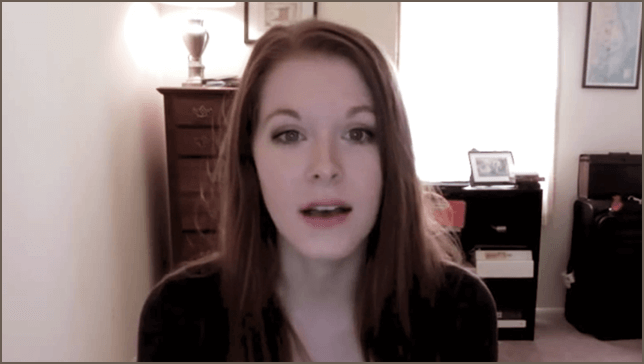
Let's take a introduction video
Introduction videos are probably the most important part of a tutor's profile page. Appeal to your students using your personality, skills and professionalism. We recommend that you create a video with a message that is straight to the point, clear, and brief instead of being elaborate.
Recommended format
Recommended format
Length
Style
Setting
Smile
Quality
※1 Unit: NCC
Regarding slots after system maintenance
To prevent cancellations, the three slots after system maintenance will be
If there are no lessons booked, the session will be automatically closed.
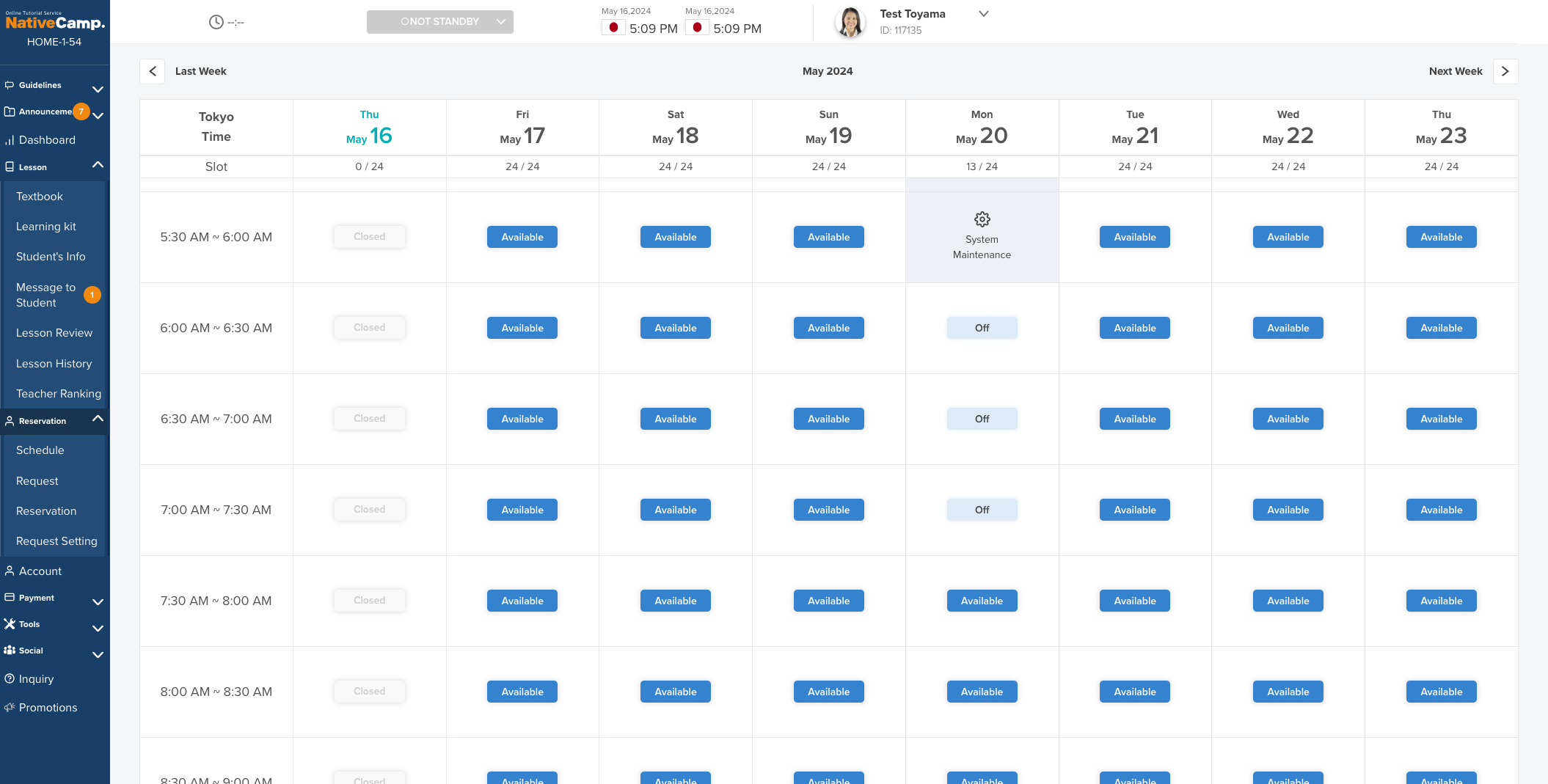
*System maintenance will be performed every Monday from 2:00 AM to 6:00 AM (Japan Standard Time (UTC+9)).
If you would like to have a lesson during the specified time slot, please go to the Schedule page and reopen the slot.
Is your Animaze virtual camera turned off?
Please return to your camera setting to Animaze.
You can confirm the setting at the following path.
chrome://settings/content/camera

You can set it for the current day or for each day every Friday.
Please refresh the page.

When taking photos or videos
Please use the NC Beauty Camera.
Download the NC Beauty Camera by clicking the download button below.
When the NC Beauty Camera is downloaded and the file is executed the message “Windows protected your PC” will appear.
Select “More info”
Click “Run anyway”
Wait for “Select Destination Location” to display, then click “Next”
After “Select Additional Tasks” appears, check the box next to “Create a Desktop shortcut” and click “Next”
When “Ready to Install” appears, click “Install”
Message "NC Beauty Camera Setup Wizard Complete" When it appears, click the Finish button.
Click OK "Virtual Camera Installation" Notice will be displayed (please check "Launch NC Beauty Camera")
When you launch the downloaded file, a pop-up window will appear.
Put in your Native Camp login information (email and password).
Click on the “Sign in” button.
Now you can set your preferable filters and application sensitivity.
Close other apps that might be using your camera, then restart NC Beauty Camera.
Go to the browser Settings
Click on the option Privacy and security
Click on the option Site Settings
Click on the section Camera
Change the camera in the dropdown menu to NC Video Capture
Please support us by providing advice on lack of time, busyness, and inability to continue and
reasons for considering leaving the program.
Membership Type
Premium Plan ( Paid )
Total number of lessons
15 times

Please check your connection.
The lesson will resume automatically.
Please don’t reload.

The system was unable to verify the connection
If you stay with them for more than two minutes, they
Cancel the lesson.
This is a "cancelled disconnection" and no incentives will be awarded.
You will be charged, but no penalties will be deducted.
Please check your connection.
Lesson completed

The lesson has been completed.

The lesson will resume when their connection is restored.
Please don’t reload.
Please sign in to your student account and go to User Settings, where you can fill in your email address, ID, and name.
Please access your instructor account via the link below: : https://nativecamp.net/login
Go to User Settings : https://gyazo.com/0449bc31c21ad8907c8bb12559b7f36e
Please check your email address, ID and name.
https://gyazo.com/109aff6dcff0e8b2e79088ae3393597f
We cannot find your e-mail address or password. Please check again.
The student account in question does not meet the necessary requirements.
Please read the guidelines and double-check your student account information.
| student | : | Taro Yamada |
| Lesson ID | : | 215X-ROWZ-35I35T_4SJTD |
| RESERVATION TIME | : | May 07, 2024 (Tue) 12:00 PM - 12:26 PM |
| TEXTBOOK CATEGORY | : | TOEIC®︎ L&R TEST Score 600 (new version) |
| Cancellation Reason | : |
Text |
Class cancellation was successful.
Please provide details of the error with regard to this textbook.
Details of the report (required)
0/1000
Interpretation


Invite new admin
You are the last administrator . We will invite a new admin to manage this group after you leave.
Do you want to remove it from the admin? ?
Can I really leave? ?
Can I really leave? ?
You are the last member of this group, so if you leave now, you will also be deleted.

Go to your web browser settings
Allow camera access
Opening shift in progress
Please wait a moment.
Slots open automatically every 10 minutes (at 00, 10, 20, etc.).
Manual opening is not possible during this process.
Example: Login at 12:01 → slots open at 12:10.
Unfortunately, you have been restricted from posting on this forum because your posts violated the Groups rules.
※For more information regarding posting restrictions, please contact the Native Camp Teacher Support Center via the inquiry form.
Once you click Confirm and update the booked lesson fee, it cannot be changed again for 7 days.
Your lesson fee has been updated within the last 7 days. You can update it again at the following date and time::
Close
Please refresh the page.
What are your thoughts or mood for today? Share it with your students.

(30 characters max)
Please refresh the page.
As nowadays it’s very popular to use photo filters on different mobile and social applications, we made an application called NC Beauty Camera.
It will help you have an interesting appearance or even improve your look on the screen by offering various filters.
The beauty filter is only supported on Windows OS.
If you are using another OS on your device, please take photo/video from the NC app.
As nowadays it’s very popular to use photo filters on different mobile and social applications, we made an application called NC Beauty Camera.
It will help you have an interesting appearance or even improve your look on the screen by offering various filters.
The beauty filter is only supported on Windows OS.
If you are using another OS on your device, please take photo/video from the NC app.
The beauty filter is only supported on Windows.
If you are using a non-Windows device, please take photo/video from the NC app.
If you are having trouble setting up the camera and cannot use the NC Beauty Camera, please take photo/video from the NC app.
Click here to download the NC appDownload the NC App using the QR code or the link below.
[iOS]
[Android]
*If your device does not support the NC beauty camera, the person-shaped icon will not be displayed.
Please sign in to your student account and go to User Settings, where you can fill in your email address, ID, and name.
Please use the link below to access your instructor account:https://nativecamp.net/login
Go to User Settings: https://gyazo.com/0449bc31c21ad8907c8bb12559b7f36e
Please check your email address, ID and name.
https://gyazo.com/109aff6dcff0e8b2e79088ae3393597f
We cannot find your e-mail address or password. Please check again.
The student account in question does not meet the necessary requirements.
Please read the guidelines and double-check your student account information.
After registering the student account, before requesting the ``shipping setting'', imported e-mail address, ID, name.
To access your instructor account, please use the following link:https://nativecamp.net/login
Go to User Settings: https://gyazo.com/0449bc31c21ad8907c8bb12559b7f36e
Please verify your email address, ID, and nickname.
https://gyazo.com/109aff6dcff0e8b2e79088ae3393597f
Email address or password not found. Please double-check.
The provided student account does not meet the necessary requirements. Please review the guidelines and double-check the student account information.

The system has detected that you opened multiple windows/tabs of the lesson.
The lesson will continue on the latest one you opened.
Look at the camera.
Use the student's name when greeting.
This transcript was generated by AI and may contain errors.
We sincerely apologize, but Native Camp is not accepting applications from your
country at this time due to our current recruitment balance.
We truly appreciate your interest and look forward to the possibility of working
with you in the future.
Nationality: Japan
[ Course or Textbook ]